All features 01
IFC export
An IFC your BIM client opens and understands the first time.
On the IFC plan Command STEELXIFC
View monthly and annual plans →
21 days free. No card. No payment registration.
Advance Steel 2024–2027 · Windows · no card
BeforeNative mezzanine IFC: 4.9 MB, all white.
With SteelXThrough SteelX: 1.8 MB, with layer colours and the right type on every part.
Exports the Advance Steel model to IFC4 or IFC2x3 with faithful geometry, layer colours and per-part properties. Profiles and bolts are written as parametric parts, which keeps the file lighter.
How to use it, in 3 steps
-
1
Type STEELXIFC
In the SteelX buttons on the Advance Steel ribbon, or by typing STEELXIFC on the command line.
-
2
Tick what to export and the fields of each part
IFC export window: version, roles, properties and georeferencing
1Per-part properties, named the way you want in the IFC
2Georeferencing and IFC classification in the same window
-
3
Click Export IFC and send the file to your client
OK
Through SteelX: 1.8 MB, with layer colours and the right type on every part.
The same staircase, exported twice
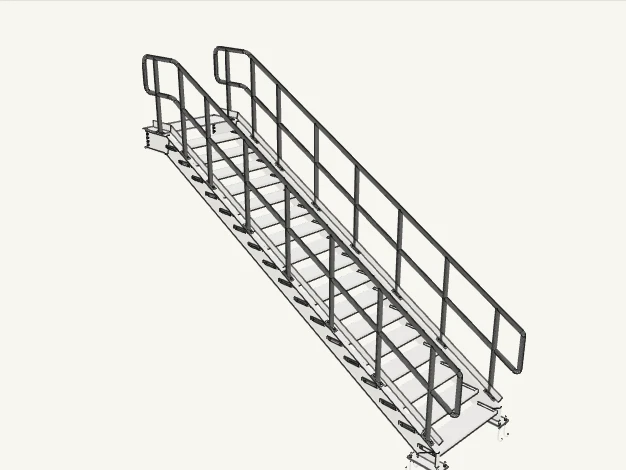
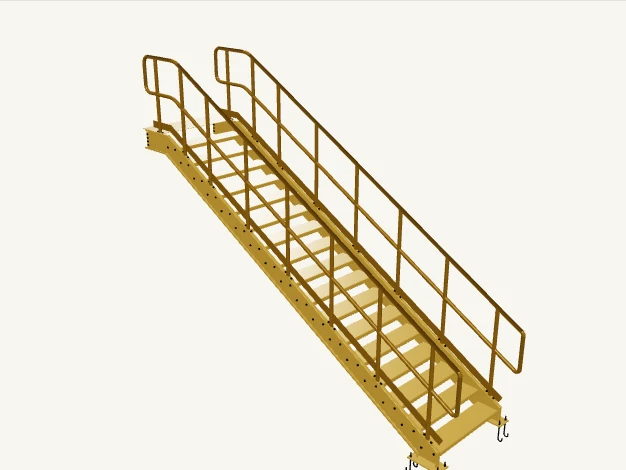
Drag to rotate.
Which plan has it
SteelX IFC
Included
US$ 9.90/month
SteelX BIM
Included
US$ 24.90/month
SteelX Industrial
Included
US$ 109.90/month
FAQ
Which plan has it?
SteelX IFC, from US$ 9.90/month. The plans above it have it too.
Which Advance Steel versions work?
Advance Steel 2024, 2025, 2026 and 2027, on Windows.
Is the trial really free?
Yes. 21 days, no credit card. Install, sign in with your email or Google and use it. Then choose a plan.
21 days of trial, no card
Download SteelX.
Install, sign in with your email or Google and use it for 21 days, no card. Then choose a plan.
Windows installer
Advance Steel 2024, 2025, 2026 and 2027
Advance Steel 2024–2027 · Windows · no card